








🚀 快速指南: 🖥️在线预览 / 📝使用文档 / 🍀我的博客
📖 README: 简体中文 | English | 日本語 | Русский
⚡ 静态站点生成: 基于Astro的超快加载速度和SEO优化
🎨 现代化设计: 简洁美观的界面,支持自定义主题色
📱 移动友好: 完美的响应式体验,移动端专项优化
🔧 高度可配置: 大部分功能模块均可通过配置文件自定义

TIP
在重要的布局上,Firefly 创新性地增加了左右双侧边栏、文章网格(多列)布局、瀑布流布局,
增加了站点统计、日历组件、文章目录等小组件,让侧边栏更加丰富,
同时也保留了 fuwari 的布局,可在配置文件中自由切换。
更多布局配置及演示请查看:Firefly 布局系统详解
- Astro + Tailwind CSS - 基于现代技术栈的超快静态站点生成
- 流畅动画 - Swup 页面过渡动画,提供丝滑的浏览体验
- 响应式设计 - 完美适配桌面端、平板和移动设备
- 多语言支持 - i18n 国际化,支持简体中文、繁体中文、英文、日文、俄语
- 全文搜索 - 基于 Pagefind 的客户端搜索,支持文章内容索引
- 侧边栏 - 支持配置单侧边栏、双侧边栏
- 文章布局 - 支持配置(单列)列表、网格(多列/瀑布流)布局
- 字体管理 - 支持自定义字体,丰富的字体选择器
- 页脚配置 - HTML 内容注入,完全自定义
- 导航栏自定义 - Logo、标题、链接全面自定义
- 壁纸模式切换 - 横幅壁纸、全屏透明壁纸、纯色背景
- 主题色自定义 - 360° 色相调节,支持亮色/暗色/跟随系统三种模式
- 留言板 - 支持留言页面,集成评论系统
- 公告栏 - 侧边栏公告提示
- 看板娘 - 支持 Spine 和 Live2D 两种动画引擎
- 站点统计 - 显示文章、分类、标签数目、文章总字数等数据
- 站点日历 - 显示当月日历,以及当月的发布文章
- 赞助页面 - 赞助链接跳转、收款码展示、赞助者列表、文章内赞助按钮
- 分享海报 - 支持生成精美的文章分享海报
- 樱花特效 - 支持樱花特效,全屏樱花效果
- 友情链接 - 精美的友链展示卡片
- 广告组件 - 支持自定义侧边栏广告内容
- 番组计划 - 基于 Bangumi API 的追番和游戏等记录展示
- 评论系统 - 集成 Twikoo、Waline、Giscus、Disqus、Artalk 评论系统
- 访问量统计 - 支持调用 Waline、Twikoo 自带的访问量追踪
- 音乐播放器 - 基于 APlayer,支持本地音乐和 Meting API 在线音乐
- 图片灯箱 - Fancybox 图片预览功能
- 浮动目录 - 动态显示文章目录,支持锚点跳转,在侧边栏目录隐藏后显示
- 邮箱保护 - 让自动化爬虫程序无法直接爬到邮箱地址,被垃圾邮件骚扰
- 侧边栏目录 - 动态显示文章目录,支持锚点跳转
- 增强代码块 - 基于 Expressive Code,支持代码折叠、行号、语言标识
- 数学公式支持 - KaTeX 渲染引擎,支持行内和块级公式
- 文章随机封面图 - 支持通过 API 获取随机封面图
- Markdown扩展 - 默认支持GitHub Flavored Markdown,还包括了Admonitions、GitHub repository cards、Expressive Code
- SEO 优化 - 完整的 meta 标签和结构化数据
- RSS 订阅 - 自动生成 RSS Feed
- 站点地图 - 自动生成 XML Sitemap,支持页面过滤配置
- 统计分析 - 集成 Google Analytics、Microsoft Clarity
- 重构 Live2D 看板娘
- 持续优化动画流畅度
- 更多功能持续完善中...
如果你有好用的功能和优化,请提交 Pull Request
- Node.js ≤ 22
- pnpm ≤ 9
-
克隆仓库:
git clone https://github.com/Cuteleaf/Firefly.git
cd Firefly
先 Fork 到自己仓库在克隆(推荐)
git clone https://github.com/you-github-name/Firefly.git cd Firefly -
安装依赖:
# 如果没有安装 pnpm,先安装 npm install -g pnpm # 安装项目依赖 pnpm install -
配置博客:
- 编辑
src/config/目录下的配置文件自定义博客设置
- 编辑
-
启动开发服务器:
pnpm dev博客将在
http://localhost:4321可用
-
参考官方指南将博客部署至 Vercel, Netlify, GitHub Pages, Cloudflare Pages, EdgeOne Pages 等。
框架预设:
Astro根目录:
./输出目录:
dist构建命令:
pnpm run build安装命令:
pnpm install
📚 详细配置文档: 查看 Firefly使用文档 获取完整的配置指南
要设置博客的默认语言,请编辑 src/config/siteConfig.ts 文件:
// 定义站点语言
const SITE_LANG = "zh_CN";
支持的语言代码:
zh_CN- 简体中文zh_TW- 繁体中文en- 英文ja- 日文ru- 俄文
src/
├── config/
│   ├── index.ts              # 配置索引文件
│   ├── siteConfig.ts         # 站点基础配置
│   ├── backgroundWallpaper.ts # 背景壁纸配置
│   ├── profileConfig.ts      # 用户资料配置
│   ├── commentConfig.ts      # 评论系统配置
│   ├── announcementConfig.ts # 公告配置
│   ├── licenseConfig.ts      # 许可证配置
│   ├── footerConfig.ts       # 页脚配置
│   ├── FooterConfig.html     # 页脚HTML内容
│   ├── expressiveCodeConfig.ts # 代码高亮配置
│   ├── sakuraConfig.ts       # 樱花特效配置
│   ├── fontConfig.ts         # 字体配置
│   ├── sidebarConfig.ts      # 侧边栏布局配置
│   ├── navBarConfig.ts       # 导航栏配置
│   ├── musicConfig.ts        # 音乐播放器配置
│   ├── pioConfig.ts          # 看板娘配置
│   ├── adConfig.ts           # 广告配置
│   ├── friendsConfig.ts      # 友链配置
│   ├── sponsorConfig.ts      # 赞助配置
│   └── coverImageConfig.ts  # 文章封面图配置
---
title: My First Blog Post
published: 2023-09-09
description: This is the first post of my new Astro blog.
image: ./cover.jpg  # 或使用 "api" 来启用随机封面图
tags: [Foo, Bar]
category: Front-end
draft: false
lang: zh-CN      # 仅当文章语言与 `siteConfig.ts` 中的网站语言不同时需要设置
pinned: false    # 置顶
comment: true    # 是否允许评论
---
下列指令均需要在项目根目录执行:
| Command | Action |
|---|---|
pnpm install | 安装依赖 |
pnpm dev | 在 localhost:4321 启动本地开发服务器 |
pnpm build | 构建网站至 ./dist/ |
pnpm preview | 本地预览已构建的网站 |
pnpm check | 检查代码中的错误 |
pnpm format | 使用Biome格式化您的代码 |
pnpm new-post <filename> | 创建新文章 |
pnpm astro ... | 执行 astro add, astro check 等指令 |
pnpm astro --help | 显示 Astro CLI 帮助 |
- 非常感谢 saicaca 开发的 Fuwari 模板,Firefly 就是基于这个模板二次开发
- 参考了博主 霞葉 分享的 Bangumi 收藏展示 和 邮箱保护/图片标题 方案
- 参考了 Mizuki 的横幅标题/多级菜单导航栏/樱花特效/KaTeX/Fancybox方案
- 使用了 Astro 和 Tailwind CSS 构建
- 使用了 MetingJS 和 APlayer 音乐播放器
- 使用了b站up 公公的日常 提供的Q版
流萤看板娘切片数据模型 - 图标来自 Iconify
- 流萤部分相关图片素材版权归游戏 《崩坏:星穹铁道》 开发商 米哈游 所有
本项目遵循 MIT license 开源协议,详细查看 LICENSE 文件
版权声明:
根据 MIT 开源协议,你可以自由使用、修改、分发代码,但需保留上述版权声明。
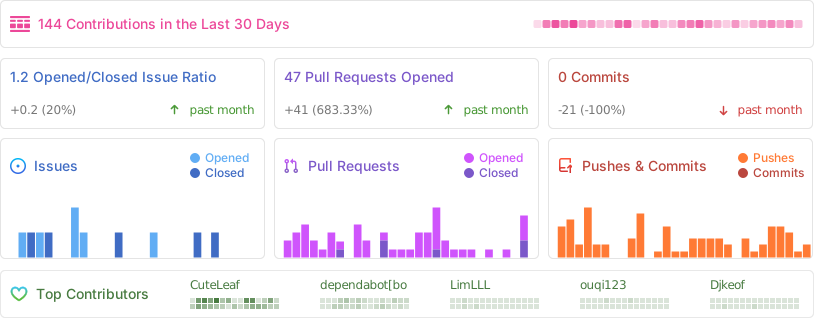
感谢以下贡献者对本项目做出的贡献,如有问题或建议,请提交 Issue 或 Pull Request。