





Yamtrack is a self hosted media tracker for movies, tv shows, anime, manga, video games, books, comics, and board games.
You can try the app at yamtrack.fuzzygrim.com using the username demo and password demo.
- 🎬 Track movies, tv shows, anime, manga, games, books, comics, and board games.
- 📺 Track each season of a tv show individually and episodes watched.
- ⭐ Save score, status, progress, repeats (rewatches, rereads...), start and end dates, or write a note.
- 📈 Keep a tracking history with each action with a media, such as when you added it, when you started it, when you started watching it again, etc.
- ✏️ Create custom media entries, for niche media that cannot be found by the supported APIs.
- 📂 Create personal lists to organize your media for any purpose, add other members to collaborate on your lists.
- 📅 Keep up with your upcoming media with a calendar, which can be subscribed to in external applications using a iCalendar (.ics) URL.
- 🔔 Receive notifications of upcoming releases via Apprise (supports Discord, Telegram, ntfy, Slack, email, and many more).
- 🐳 Easy deployment with Docker via docker-compose with SQLite or PostgreSQL.
- 👥 Multi-users functionality allowing individual accounts with personalized tracking.
- 🔑 Flexible authentication options including OIDC and 100+ social providers (Google, GitHub, Discord, etc.) via django-allauth.
- 🦀 Integration with Jellyfin, Plex and Emby to automatically track new media watched.
- 📥 Import from Trakt, Simkl, MyAnimeList, AniList and Kitsu with support for periodic automatic imports.
- 📊 Export all your tracked media to a CSV file and import it back.
| Homepage | Calendar |
|---|---|
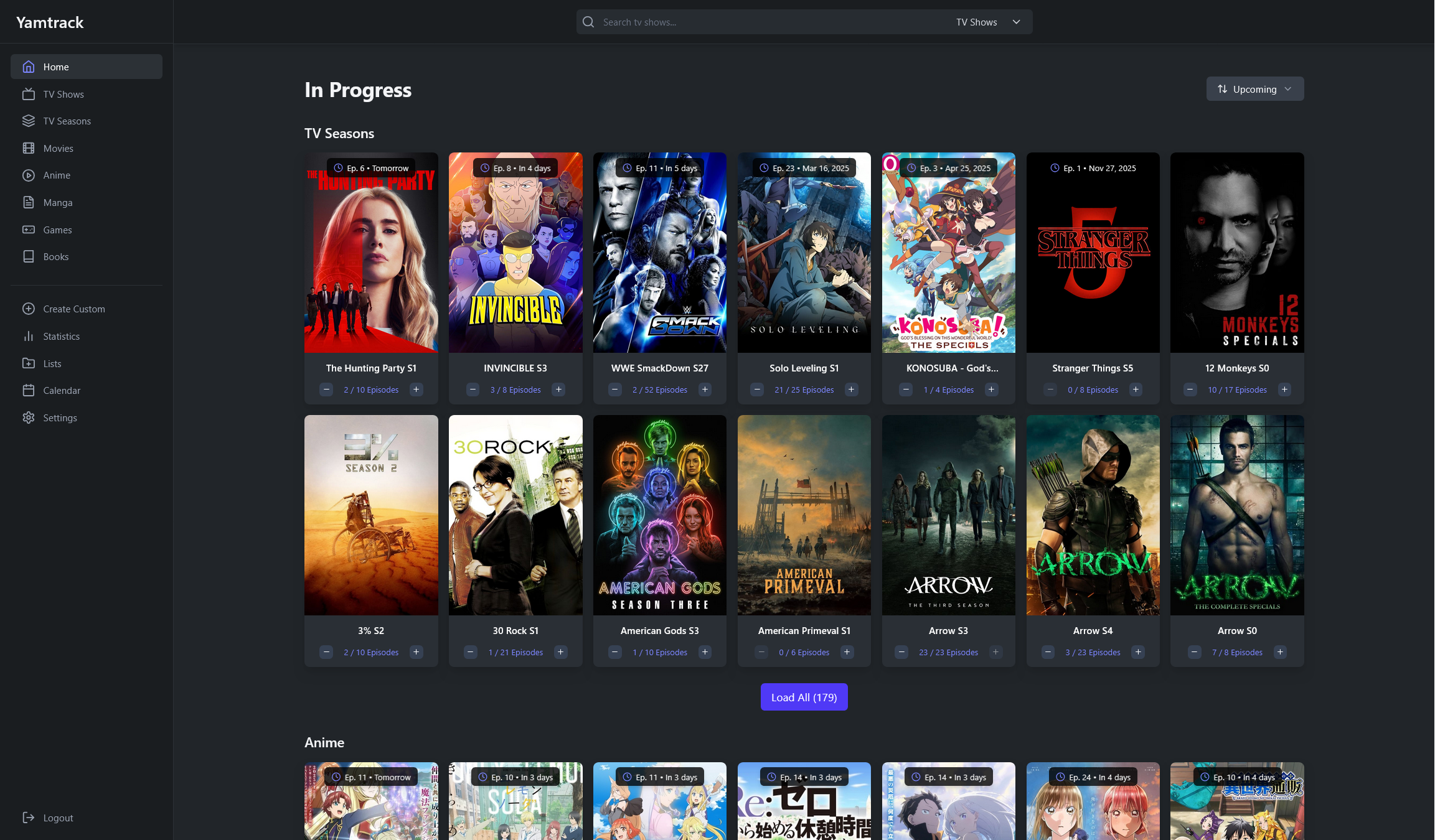 | 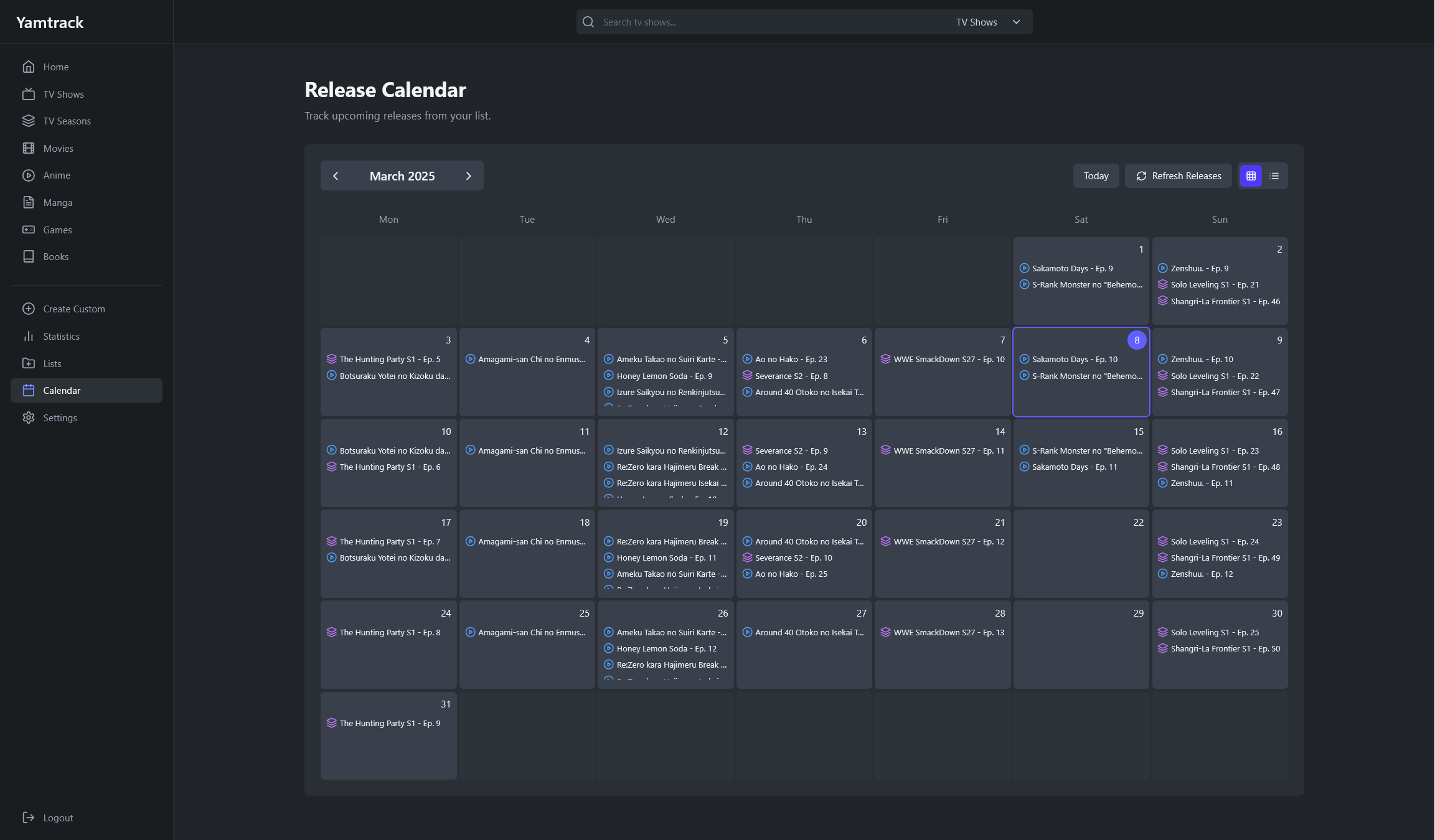 |
| Media List Grid | Media List Table |
|---|---|
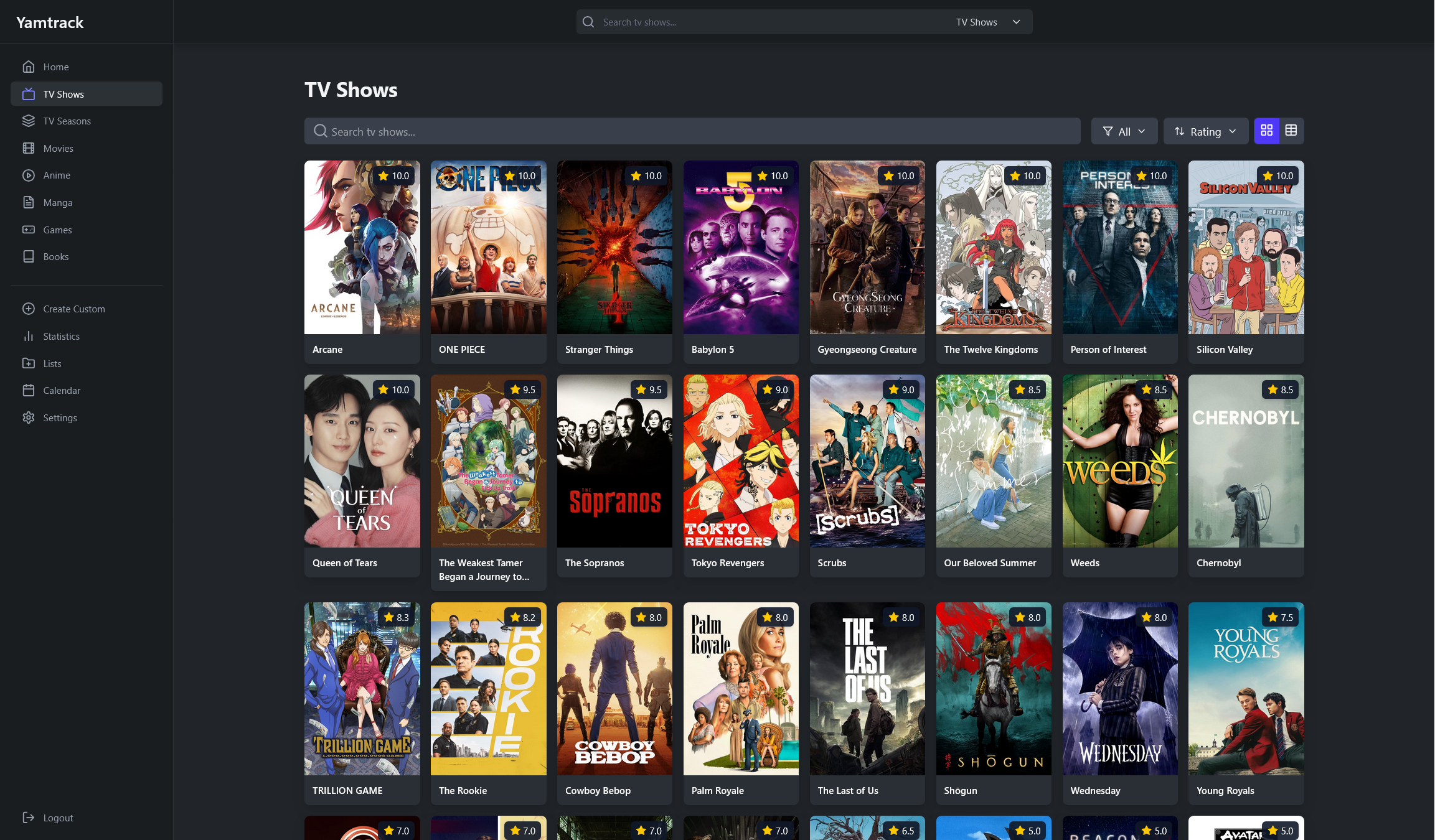 | 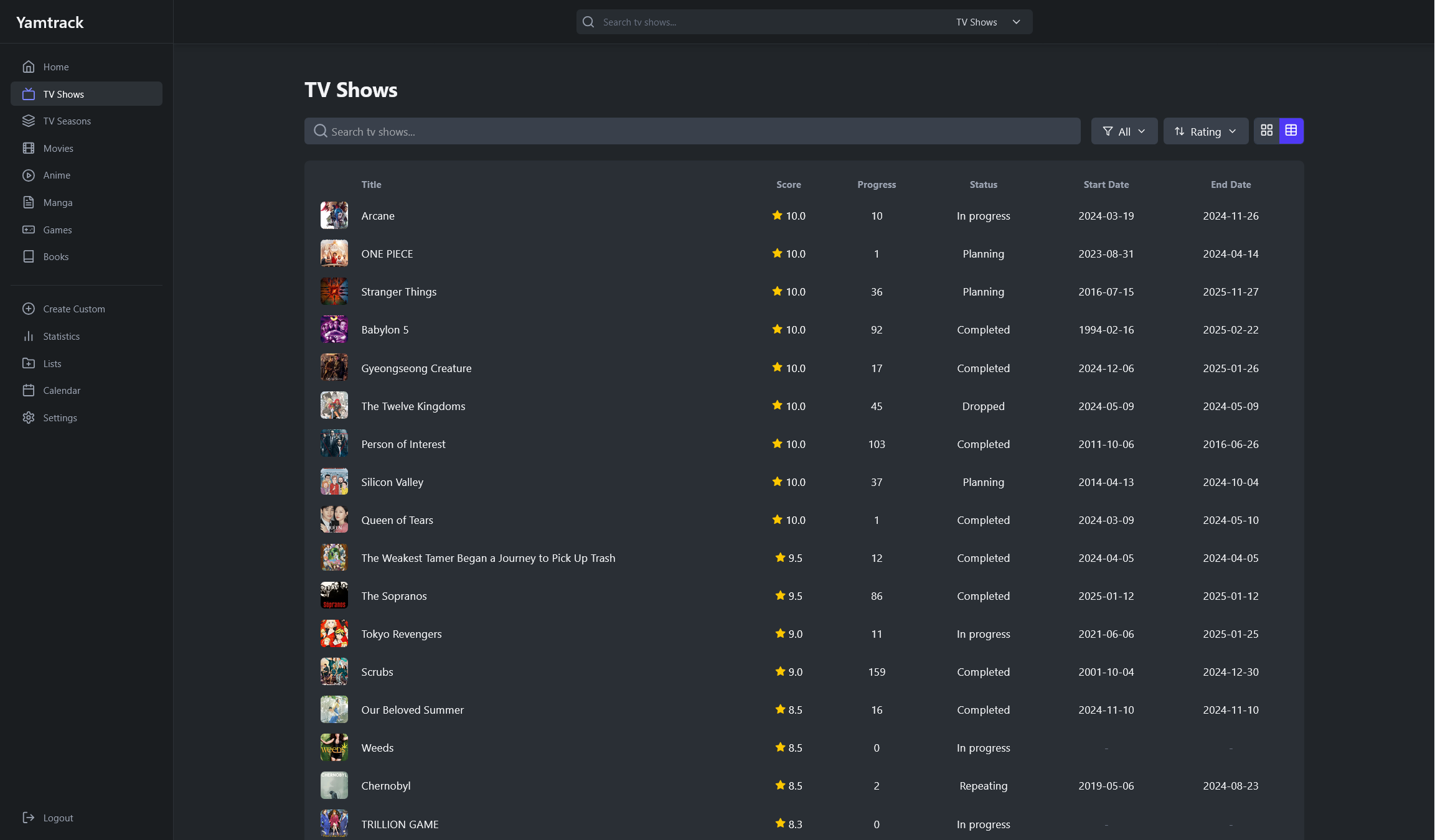 |
| Media Details | Tracking |
|---|---|
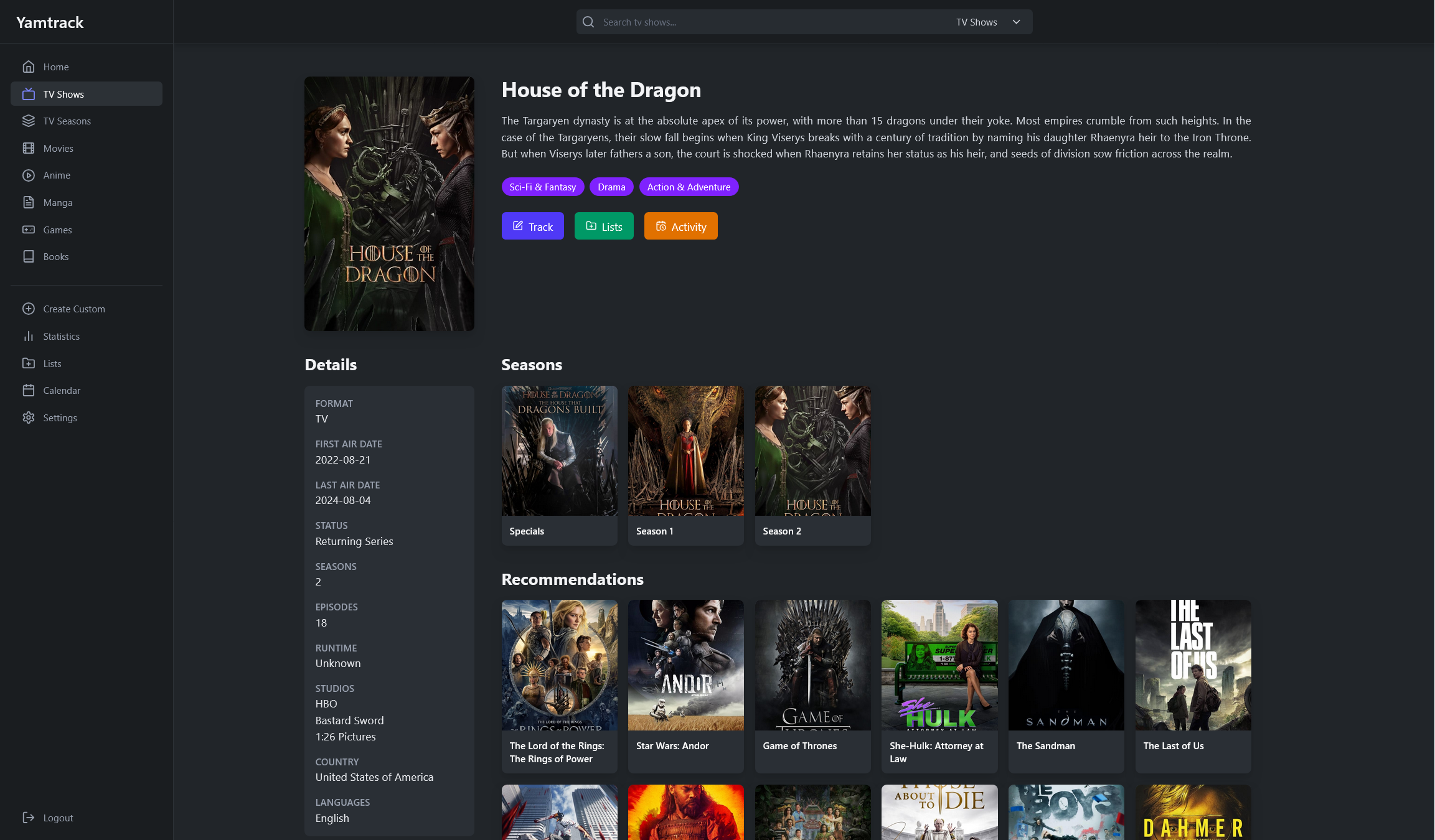 | 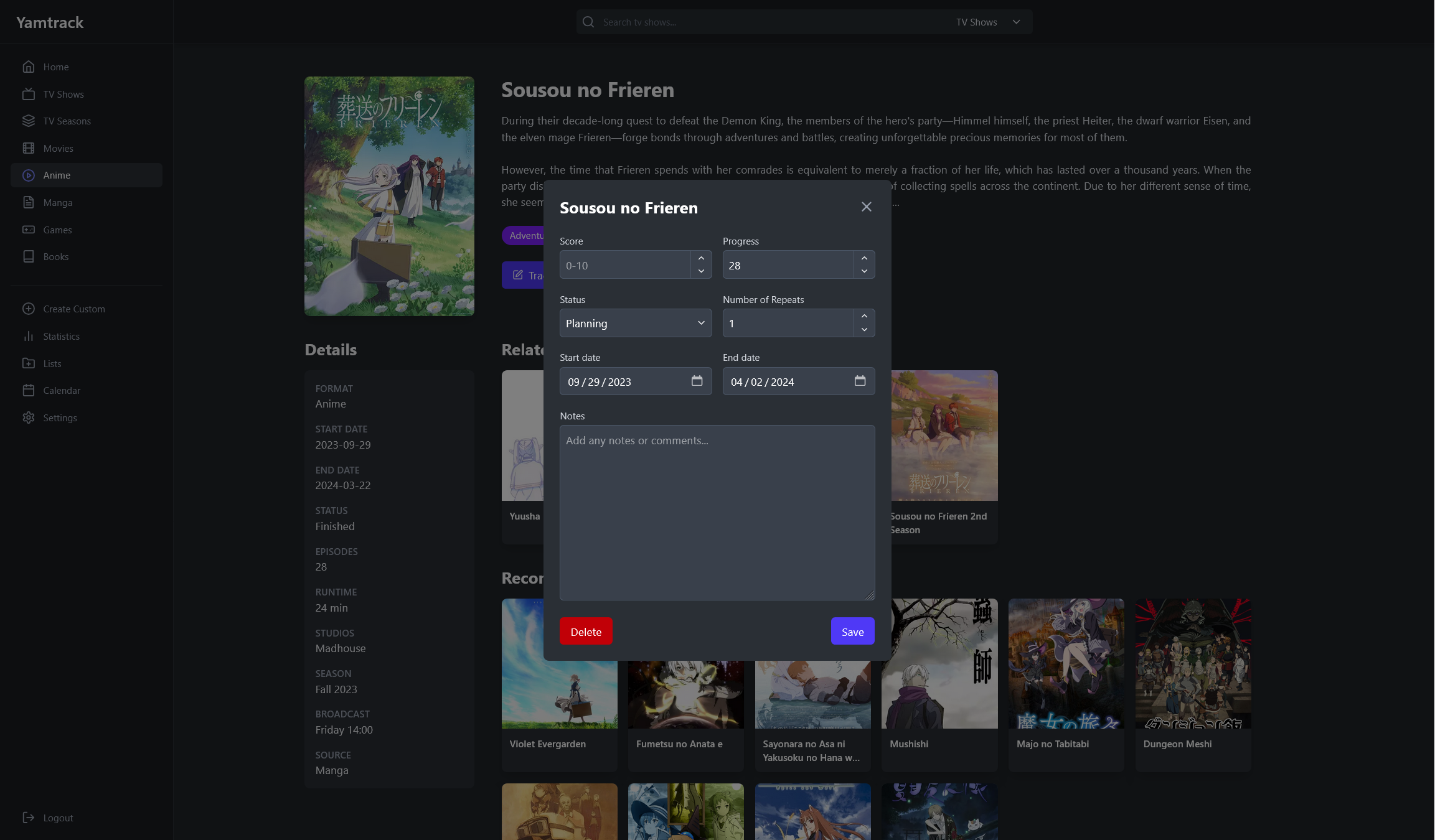 |
| Season Details | Tracking Episodes |
|---|---|
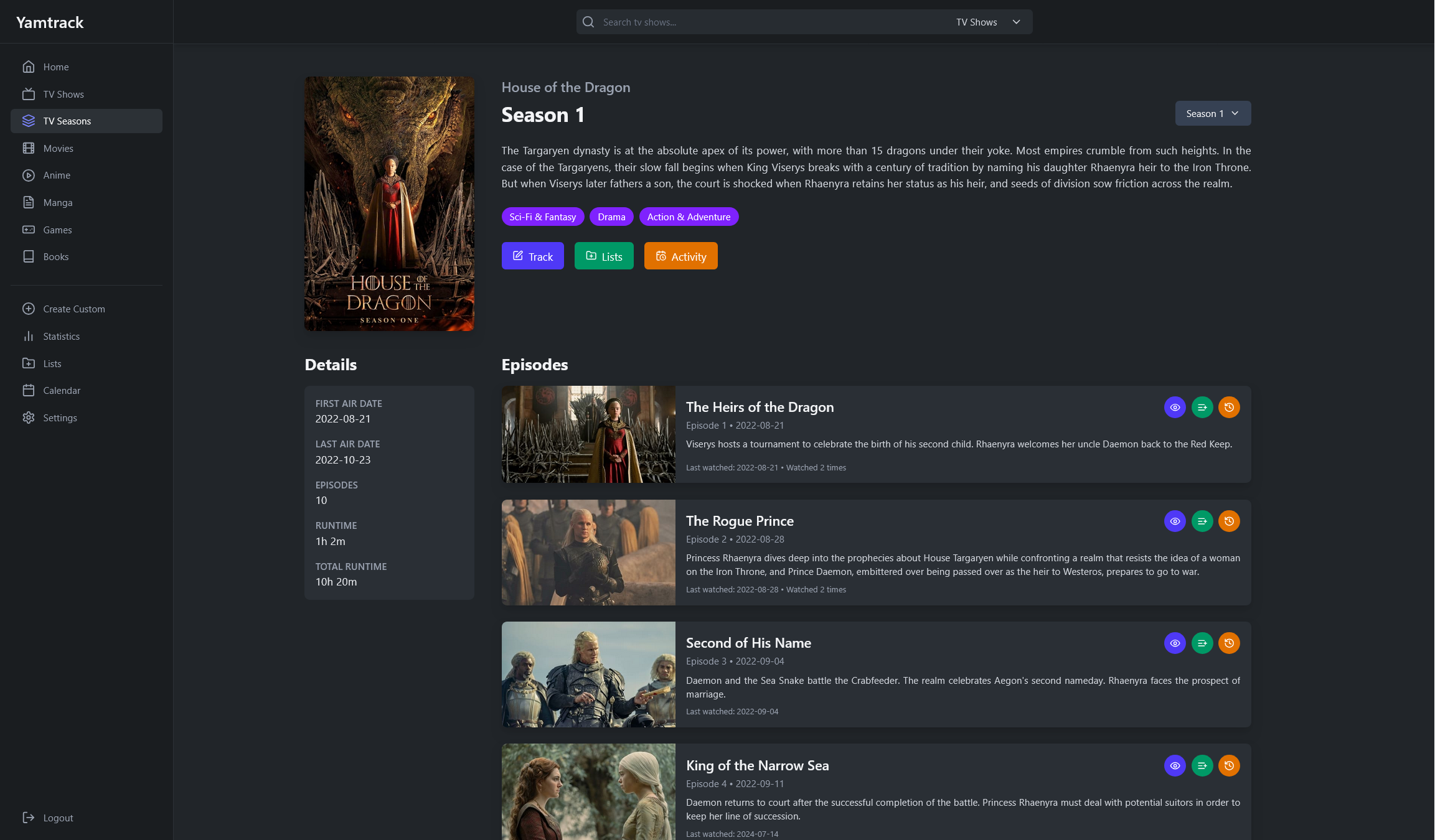 | 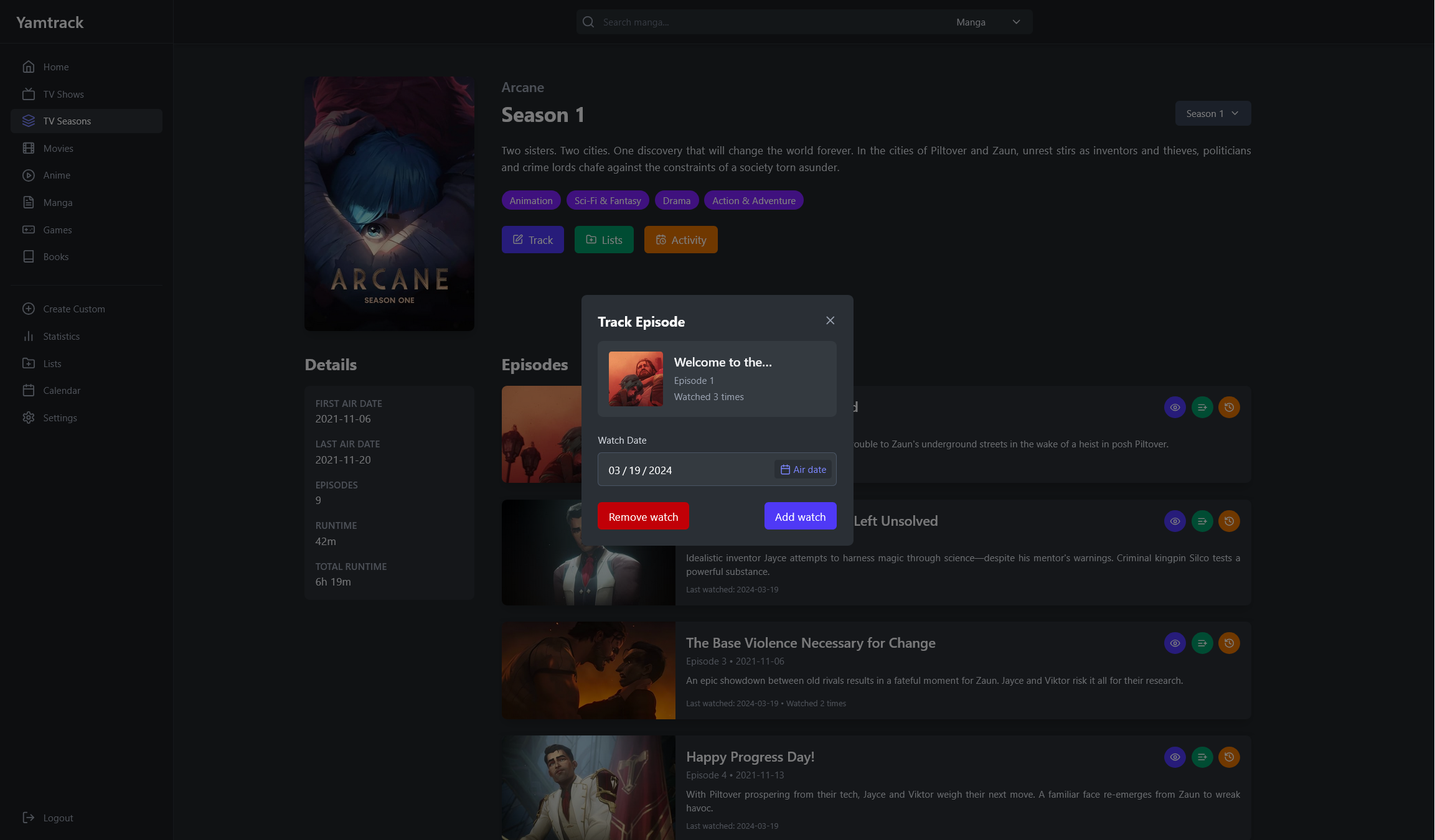 |
| Lists | Statistics |
|---|---|
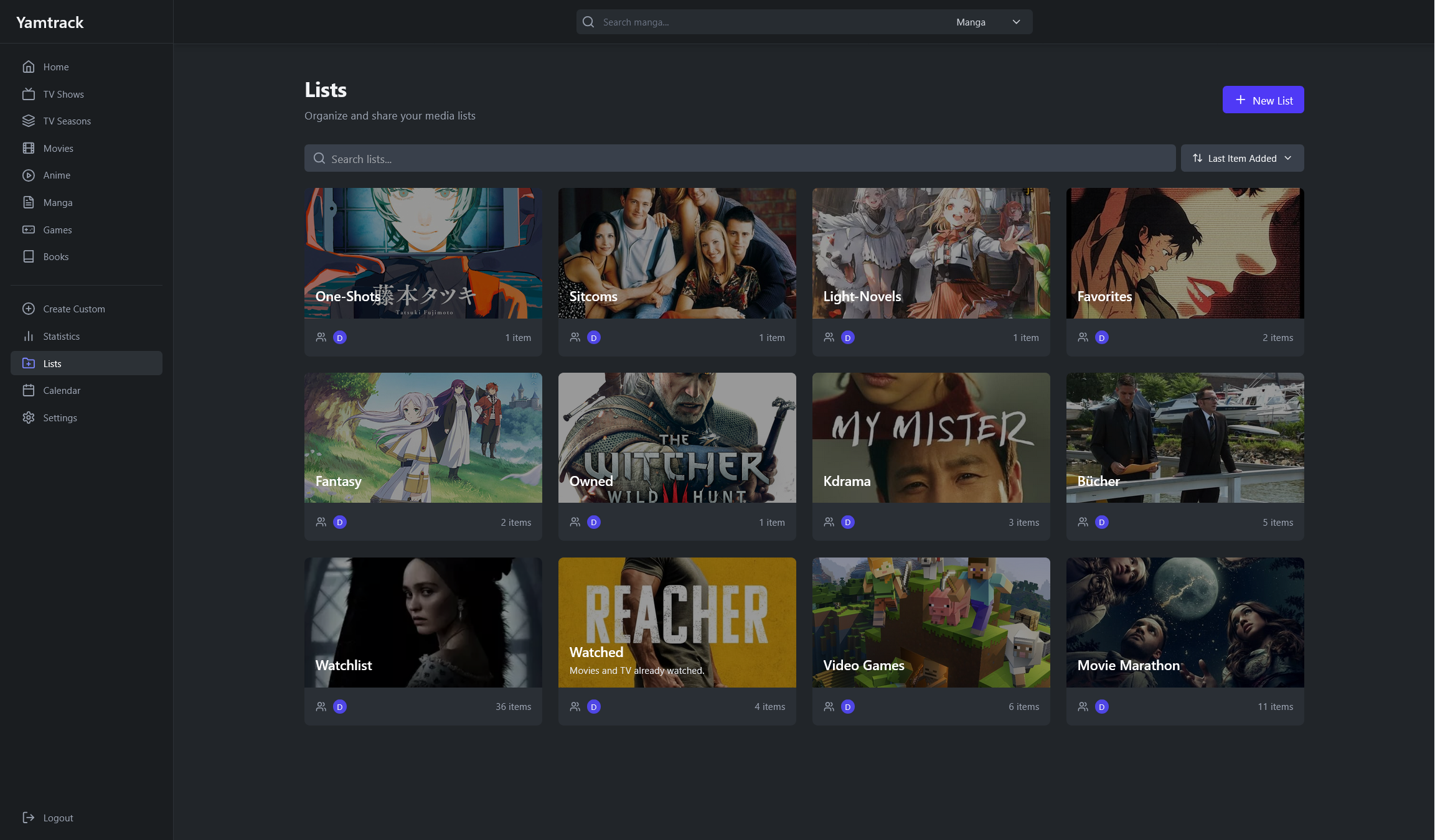 | 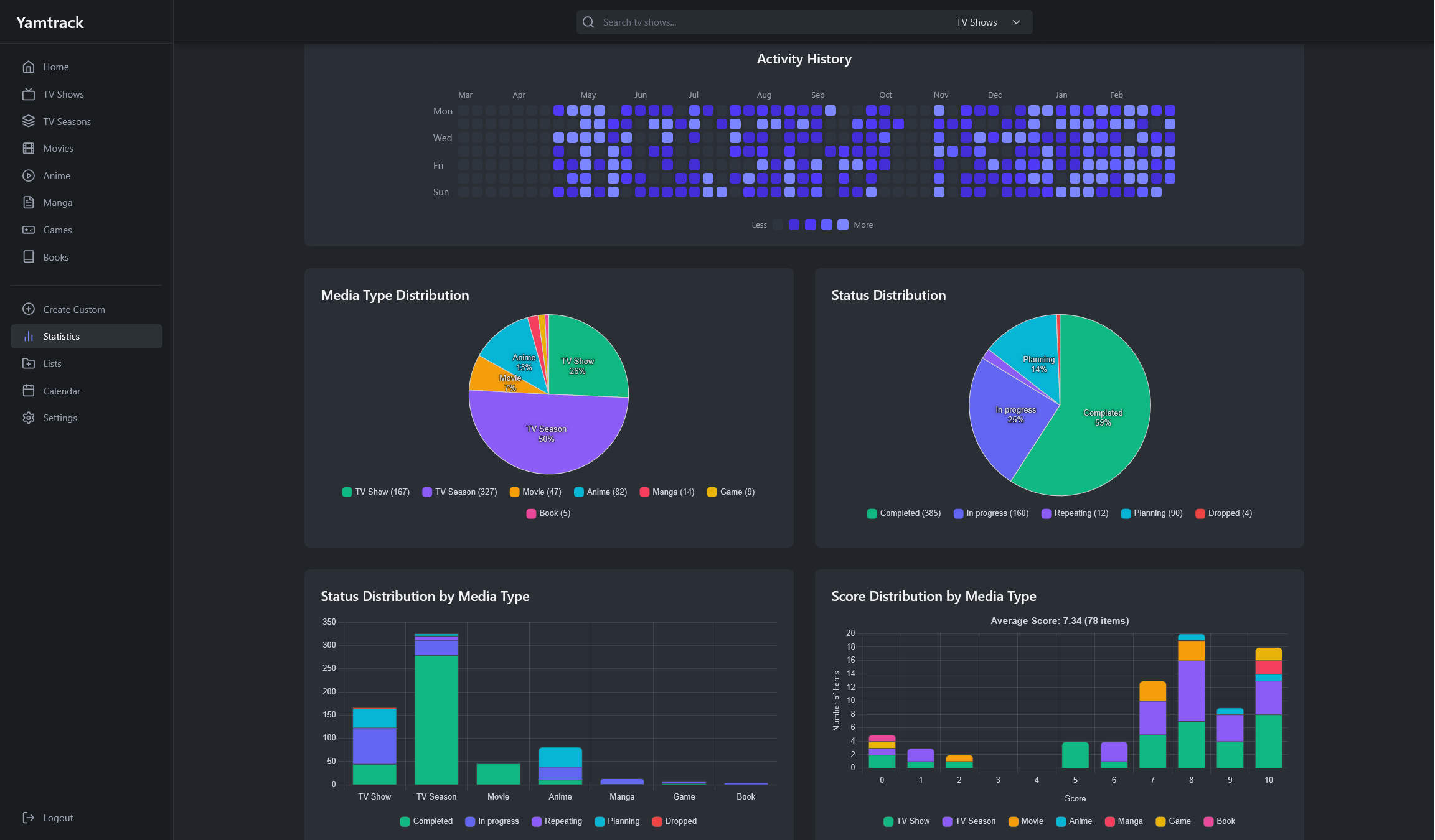 |
| Create Manual Entries | Import Data |
|---|---|
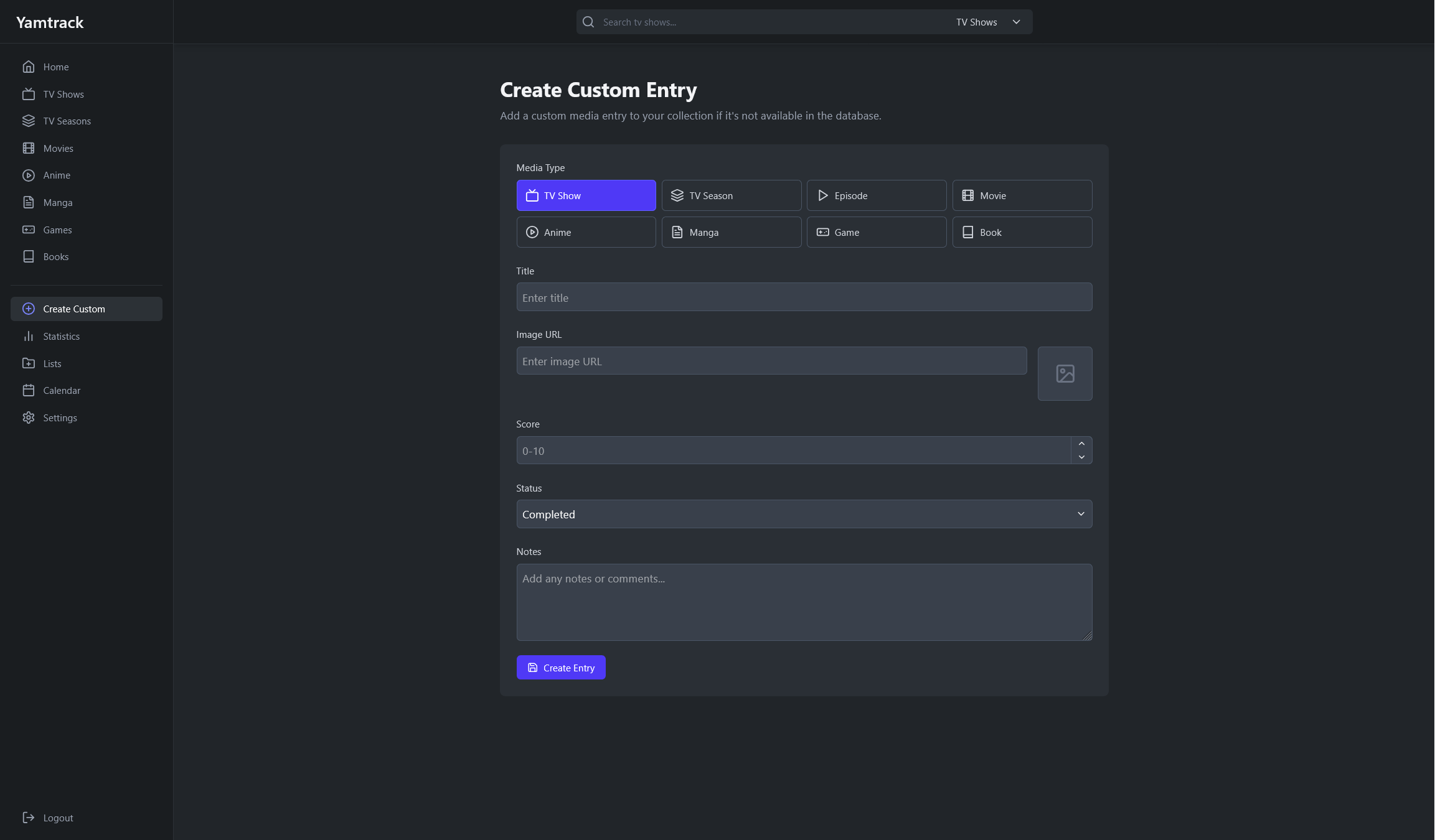 | 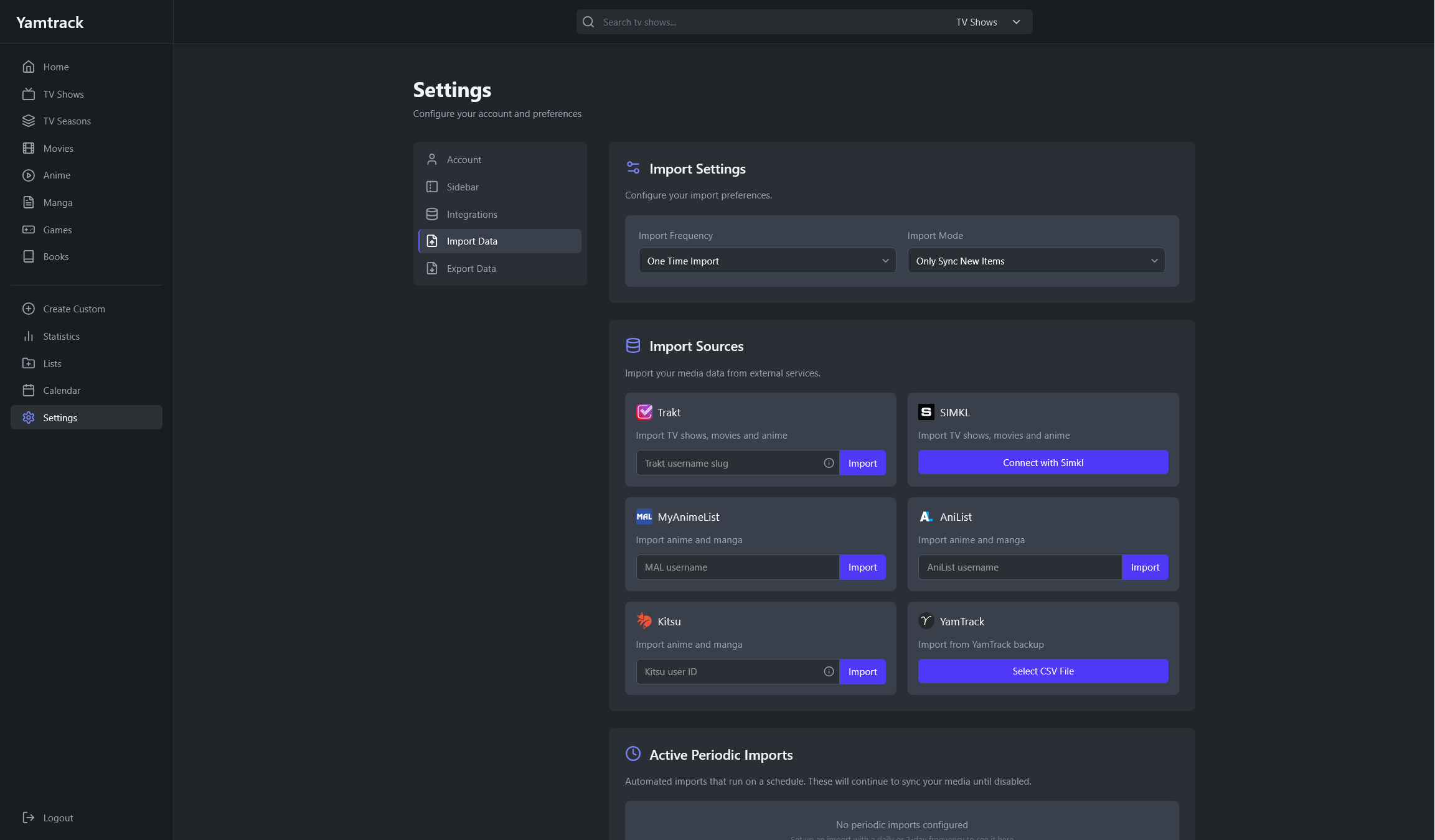 |
Copy the default docker-compose.yml file from the repository and set the environment variables. This would use a SQlite database, which is enough for most use cases.
To start the containers run:
docker-compose up -d
Alternatively, if you need a PostgreSQL database, you can use the docker-compose.postgres.yml file.
When using a reverse proxy, if you see a 403 - Forbidden error, you need to set the URLS environment variable to the URL you are using for the app.
services:
  yamtrack:
    ...
    environment:
      - URLS=https://yamtrack.mydomain.com
    ...
Note that the setting must include the correct protocol (https or http), and must not include the application / context path. Multiple origins can be specified by separating them with a comma (,).
For detailed information on environment variables, please refer to the Environment Variables wiki page.
Clone the repository and change directory to it.
git clone https://github.com/FuzzyGrim/Yamtrack.git
cd Yamtrack
Install Redis or spin up a bare redis container:
docker run -d --name redis -p 6379:6379 --restart unless-stopped redis:8-alpine
Create a .env file in the root directory and add the following variables.
TMDB_API=API_KEY
MAL_API=API_KEY
IGDB_ID=IGDB_ID
IGDB_SECRET=IGDB_SECRET
STEAM_API_KEY=STEAM_API_SECRET
BGG_API_TOKEN=BGG_API_TOKEN
SECRET=SECRET
DEBUG=True
Then run the following commands.
python -m pip install -U -r requirements-dev.txt
pre-commit install
cd src
python manage.py migrate
python manage.py runserver & celery -A config worker --beat --scheduler django --loglevel DEBUG & tailwindcss -i ./static/css/input.css -o ./static/css/tailwind.css --watch
Go to: http://localhost:8000
There are many ways you can support Yamtrack's development:
The simplest way to show your support is to star the repository on GitHub. It helps increase visibility and shows appreciation for the work.
Found a bug? Open an issue on GitHub with detailed steps to reproduce it. Quality bug reports are incredibly valuable for improving stability.
Have ideas for new features? Share them through GitHub issues. Your feedback helps shape the future of Yamtrack.
Pull requests are welcome! Whether it's fixing typos, improving documentation, or adding new features, your contributions help make Yamtrack better for everyone.
If you'd like to support the project financially:

