

https://greenbone.github.io/docs/latest/22.4/container/index.html
docker docker-compose 环境
[作者一个个从 vps 回传到 CNB 上的,哭死 😭]
docker pull docker.cnb.cool/srebro/docker-images/vulnerability-tests
docker pull docker.cnb.cool/srebro/docker-images/notus-data
docker pull docker.cnb.cool/srebro/docker-images/scap-data
docker pull docker.cnb.cool/srebro/docker-images/cert-bund-data
docker pull docker.cnb.cool/srebro/docker-images/dfn-cert-data
docker pull docker.cnb.cool/srebro/docker-images/data-objects
docker pull docker.cnb.cool/srebro/docker-images/report-formats
docker pull docker.cnb.cool/srebro/docker-images/gpg-data
docker pull docker.cnb.cool/srebro/docker-images/redis-server
docker pull docker.cnb.cool/srebro/docker-images/pg-gvm:stable
docker pull docker.cnb.cool/srebro/docker-images/gvmd:stable
docker pull docker.cnb.cool/srebro/docker-images/gsa:stable
docker pull docker.cnb.cool/srebro/docker-images/openvas-scanner:stable
docker pull docker.cnb.cool/srebro/docker-images/ospd-openvas:stable
docker pull docker.cnb.cool/srebro/docker-images/gvm-tools
docker compose -f docker-compose.yml up -d
docker compose -f docker-compose.yml exec -u gvmd gvmd gvmd --user=admin --new-password='admin'
账户/密码: admin/admin
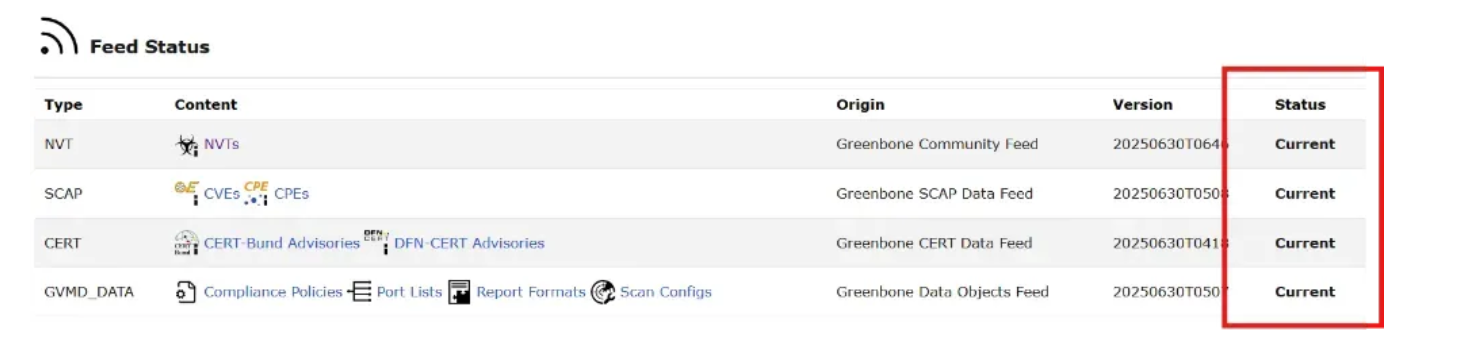
在http://ip:9392/feedstatus 页面确保所有的 feeds 状态都已经是 “Current” (大概需要30-60分钟),在此之前不要开启扫描任务。
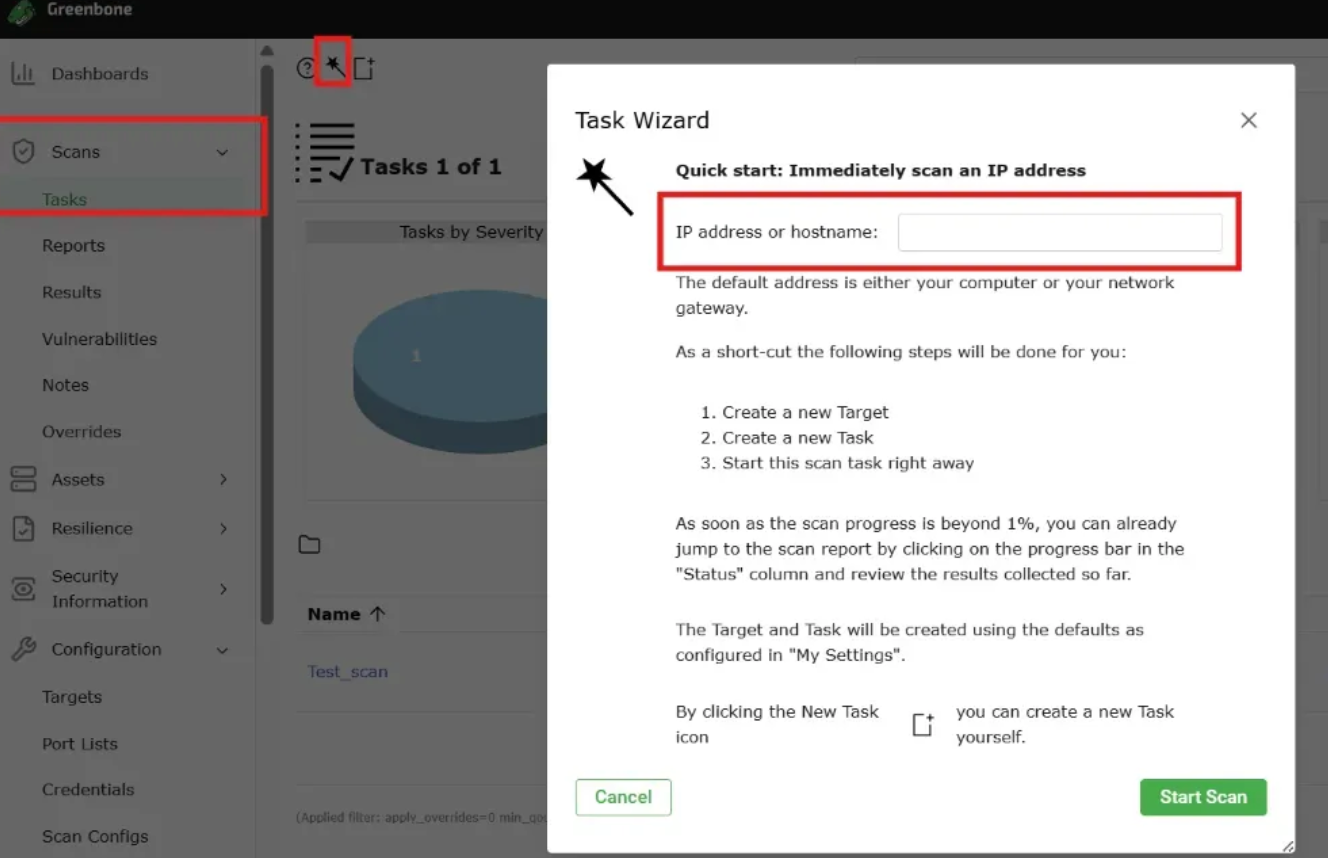
在Greenbone中选择 Scans→Task,点击如图所示的图标后,在弹出的页面输入 IP地址,点击开始扫描。
等待扫描完成后,获取系统报告。

About
35/F,Tencent Building,Kejizhongyi Avenue,Nanshan District,Shenzhen
